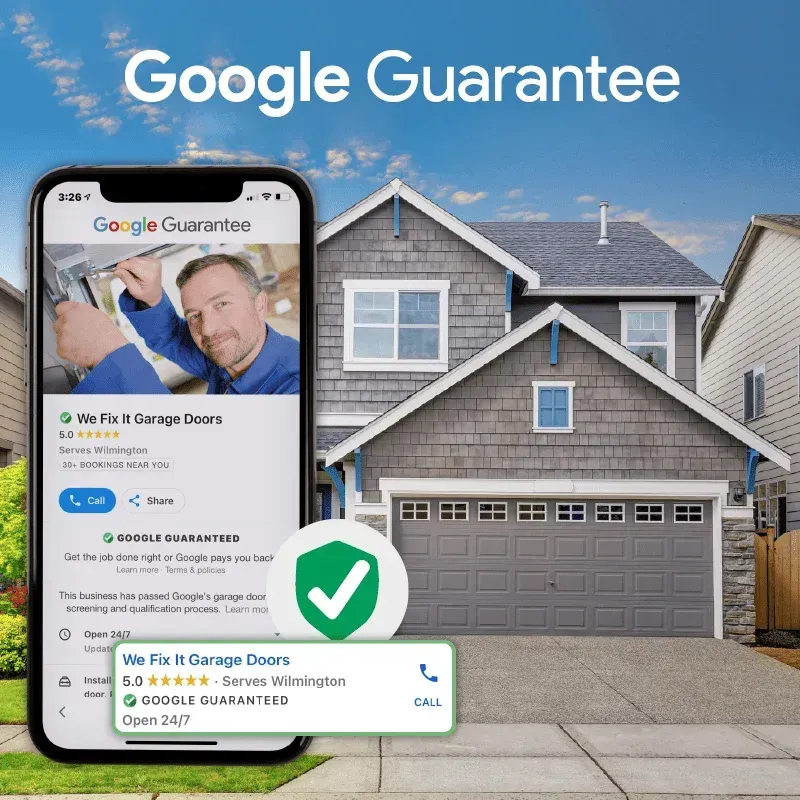
Why 40% of Garage Door Companies Fail Google's New "Advanced Verification" (And The Exact Steps To Pass)
Google has classified Garage Door Repair as a 'High Risk' category. One wrong document gets you banned for 6 months.
Last month, I audited 20 garage door companies in Arizona and Texas. 8 of them had applications stuck in "Pending" for 3+ weeks. Another 6 had been flat-out rejected.
The scary part? Most of them had no idea why.
When I dug into their files, the pattern was obvious. Google's new "Advanced Verification" process for garage doors isn't just stricter—it's unforgiving. And if you don't know the exact documents Google needs and how they need to be named, you're going to fail.
Here's the real cost: A rejection means you're banned from reapplying for 6 months.That's $7,500+ in lost Google Guaranteed leads sitting on the table while your competitor (who got their paperwork right the first time) is getting 20 calls a week.
What Changed? Why Google is Cracking Down
Two years ago, garage door repair was a low-friction category on Google Local Services Ads. You submitted a business license, answered a few questions, and boom—Green Badge in 2 weeks.
Not anymore.
Google announced in Q3 2024 that home service categories with high "chargeback" and "dispute" rates would get stricter screening. Garage door repair topped that list because:
High Dispute Rate:Customers dispute charges because they disagree with the quote, the work quality, or whether they even called the company.
Cash-Heavy Industry:Many garage door companies operate on cash and don't keep good records, which raises fraud flags.
LSA is now a "Verified" Badge:The Green Badge now requires what Google calls "Advanced Verification"—basically a background check.
The New Process:
You submit your business license, Secretary of State filing, and proof of insurance.
Google usesEvident ID(a third-party verification company) to run a background check on the owner.
Evident tries to verify your identity via your credit header, phone records, and business records.
Google's team then manually reviews your documents to ensure everything matches perfectly.
This takes 2–4 weeks if everything is correct. If anything is off by even one letter, you're rejected.
The 3 "Silent Killers" That Cause 90% of Rejections
I've reviewed hundreds of denial emails from Google. They almost never tell you why you failed. But after analyzing the rejected applications, there are three consistent patterns.
Silent Killer #1: The "Secretary of State" Name Mismatch (Most Common)
The Problem:
Your Google Business Profile says:"Mike's Garage Doors"
Your Secretary of State LLC filing says:"Mike's Garage Doors LLC"or "Michael R. Garage Doors LLC"
Google's system compares these two names. If they don't match character-for-character, Evident flags it as "suspicious" and the application fails.
Why This Happens:
Most owners register their LLC with their full legal name (Michael Robert Garcia) but brand the business as "Mike's Garage Doors." This mismatch—while innocent—triggers Google's fraud detection.
The Fix:
Your Google Local Services profile name MUST match your Secretary of State filing exactly.
If your state filing says"Mike's Garage Doors LLC,"then your LSA profile must say, "Mike's Garage Doors LLC"(with the "LLC").
If it says"Michael Garcia DBA Mike's Garage Doors,"that's what goes on Google.
This is the #1 reason for rejection, and it's the easiest to fix.
Silent Killer #2: The "Pinkerton" Credit Freeze (The Invisible Wall)
The Problem:
The owner froze their personal credit years ago (for identity theft protection).
When Evident tries to verify the owner's identity via their credit header (a standard background check), it can't because the credit is frozen. The check fails silently, and Google denies the application.
Why This Happens:
Many business owners freeze their credit after identity theft scares or because they read about "credit freezing" as a security measure. They forget they did it and have no idea it's blocking their Google verification.
The Symptoms:
Application stuck in "Pending" for 3+ weeks with no communication.
No rejection email, just silence.
Evident emails saying "Unable to verify identity."
The Fix:
The owner mustunfreeze their credit with TransUnion and Equifax for 72 hours, then request a re-check through Evident.
How to Unfreeze:
Go to transunion.com/freeze
Log in with their SSN and personal info
Select "Temporarily Lift" and choose 72 hours
Get the PIN number
Request Evident to re-run the background check
This usually resolves within 48 hours.
Silent Killer #3: The "Insurance Address" Mismatch
The Problem:
Your Certificate of Insurance (COI) shows one address, but your Google Local Services profile shows a different address.
Example:
Google LSA Profile Address:456 Business Center Drive, Suite 200 (your office)
Certificate of Insurance Address:123 Oak Street (your home/garage)
Google requires these to match for verification purposes.
Why This Happens:
Many garage door owners work out of a home garage but list a PO Box or office on Google. Or they move offices but forget to update their insurance.
The Fix:
Call your insurance broker and request a revised Certificate of Insurance that matches the address on your Google Local Services profile exactly. Then upload the new COI to your Evident dashboard.
The Exact SOP: How to Pass Advanced Verification on the First Try
If you follow these steps in order, you'll pass. If you skip one, you'll likely fail.
Step 1: Verify Your Secretary of State Filings (Day 1)
What You'll Do:
Go to your state's Secretary of State website (e.g.,azsos.gov for Arizona)
Search for your business by name
Look at your LLC filing and copy the exact legal name as it appears (including "LLC," "Inc.," punctuation, everything)
Compare this to your Google Business Profile name
The Rule:
Your Google LSA profile name MUST match your Secretary of State filing word-for-word.
If they don't match, edit your Google profile immediately. Don't submit anything to Google yet.
Example:
State Filing Says:"Phoenix Garage Doors Repair LLC"
Your Profile Says:"Phoenix Garage Doors"
Action: Edit profile to "Phoenix Garage Doors Repair LLC"
Step 2: Unfreeze Any Credit Freezes (Day 1-2)
What You'll Do:
If you ever put a freeze on your personal credit for security then do this :
Select "Temporarily Lift Freeze," and choose72 hours
You will get a PIN number for re-freezing later
Keep your phone handy—Evident may call them during this window
Why This Matters:
Evident's background check relies on a "credit header pull," which doesn't report balances or rates but confirms your identity and address history. If the credit is frozen, this pull fails.
Step 3: Verify Your Insurance Certificate (Day 2-3)
What You'll Do:
Get your current Certificate of Insurance (COI) from your business insurance broker
Check that the address on the COI matches your Google Local Services address exactly
If it doesn't match, call your broker and request a revised COO with the correct address
What Google Looks For:
The business name (must match Secretary of State filing)
The business address (must match your Google LSA profile)
Coverage amounts for general liability (typically $1M–$2M)
Policy effective dates and expiration dates
Step 4: Prepare Your Business License & Documentation (Day 3-4)
What You'll Need:
Business License(from your city/county)
Secretary of State LLC Certificate(printed or PDF)
Certificate of Insurance(with correct address)
Proof of Address(utility bill, bank statement, or office lease showing the business address)
Owner Photo ID(Driver's License or Passport)
How to Prepare Them:
Scan all documents as PDFs or JPGs
Make sure they are clear and readable(not blurry, not rotated)
Name each file clearly:
Business_License_2025.pd forLLC_Certificate.pdfKeep them in one folder ready to upload
Step 5: Submit to Google Local Services Ads (Day 5)
Where to Submit:
Go toGoogle Local Services Ads dashboard (if you have an account) or sign up at google.com/localservices
Fill out your business profile with the exact name from your Secretary of State filing
Upload your documents:
Business License
Secretary of State Filing
Certificate of Insurance
Proof of Address
Click"Submit for Verification"
What Google Will Do:
Their system checks your documents against public records
Evident sends you an email with a link to complete the background check
Log in and answer identity verification questions
Step 6: The Evident Background Check (Days 5-7)
What Happens:
You get an email from[email protected]with a link
You click the link and answer questions like:
Your full legal name
Your Social Security number
Previous addresses you've lived at
Phone numbers associated with your name
You may need to upload a photo of your ID
Evident runs a background check using:
Credit header pull (NOT a credit score)
Public records (court cases, liens, arrests)
Address history
Timeline:
If everything is correct:2–4 days
If they need clarification:5–10 days
If denied: You get a rejection email explaining why
Step 7: The Video Interview (Days 8-14)
What Google Will Ask:
If your background check passes, Google may request a brief video call to confirm you're a real, operating business. This is their final fraud check.
What to Prepare:
Be Ready to Show:
Your truck (with permanent branding, not magnetic signs)
Your tools (spring winder, opener, etc.)
Your business license (physical copy)
Start your truck (they want to see it runs)
What to Say:
"I'm the owner of [Business Name]"
"We've been in business since [Year]"
"We typically do [repairs/installations] for garage doors"
Keep it short—5 minutes or less
Where to Do It:
Best: Outside next to your truck with tools visible
Worst: At a desk in an office with no context
Never:In your kitchen or home
Feel Overwhelmed? Who Can Blame You!
Let our experts help navigate this process for you.
